

Most developers install Claude Code, open a terminal, and stop there. The real productivity ceiling isn’t the model — it’s everything the community has built around it. Here are the 20 repositories that separate a casual user from someone who looks like they have an unfair advantage.
Why Your Current Setup Is Only Half the Picture
Claude Code is not a finished product you install and immediately use at full capacity. It is a platform — and like any platform, its true power lives in the ecosystem built on top of it.
The developers consistently getting the most out of their subscription are not using a different model or a secret prompt technique. They have built a stack: official integrations, community skills, subagents, MCP servers, and orchestration layers that wire everything together. Most of that stack lives on GitHub, completely free, and almost nobody talks about it.
This is a map of that stack. Twenty repositories, organised by what they do, with a clear reason why each one belongs in your setup.
Section 1 — Start Here: The Official Anthropic Layer (Repos 1–4)
Before anything community-built, there are four official Anthropic repositories that most users install but never fully explore.
1. anthropics/claude-code
The main repository itself contains setup configurations and workflow patterns that the documentation buries. Most users miss the advanced session management options and the CLAUDE.md instruction architecture. Read the full README before assuming you know what the tool can do.
2. anthropics/skills
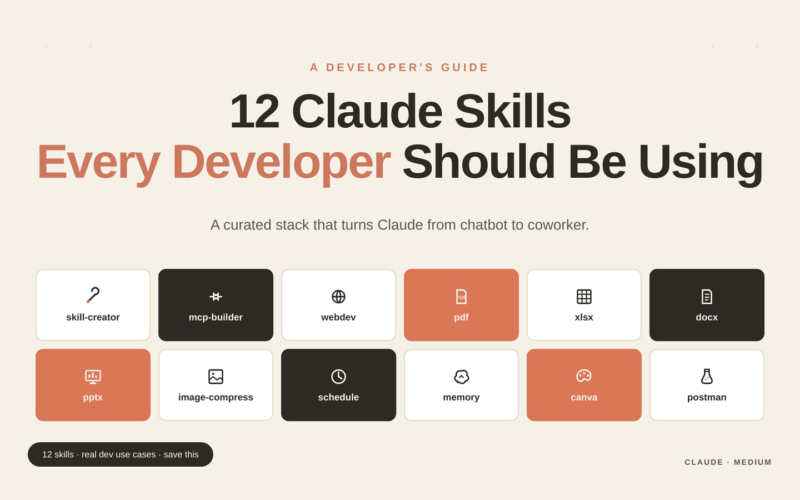
This is where Claude gains hands — the ability to read and write PDFs, Word documents, Excel spreadsheets, PowerPoint files, and generate images. If you have ever wished Claude could open a file rather than have you paste its contents, this is the repository. Install it once, and file handling stops being your problem.
3. anthropics/anthropic-cookbook
A growing library of production-tested patterns for tool use, retrieval-augmented generation, and agent architectures. Think of it as the reference implementation for anything non-trivial. If you are building something that feels like it should already exist, check here first before writing it from scratch.
4. anthropics/claude-code-action
This GitHub Action brings Claude directly into your pull request workflow. Reviewers can tag Claude in PR comments, and it will analyse the diff, flag issues, and suggest fixes — without anyone leaving GitHub. For teams, this is the fastest path to consistent, automated code review at zero marginal cost per review.
Section 2 — Build Your Discovery Layer (Repos 5–7)
These three repositories are indexes — curated collections that point you to everything else. Start here when you want to find the right tool for a specific job.
5. hesreallyhim/awesome-claude-code
The most comprehensive community-maintained index of Claude Code resources, with one unusual quality: it accepts submissions only from Claude itself. Every entry has been vetted through actual use. This is the first place to search when you need a capability that feels like it should exist but you cannot find it.
6. ComposioHQ/awesome-claude-skills
Over 50 production-tested skills covering practical engineering tasks: Postgres operations, root-cause tracing, dependency analysis, and more. These are not demos — they have been tested in real production environments and contributed back to the community. Browsing this repository takes ten minutes and often surfaces something directly useful to your current project.
7. ComposioHQ/awesome-claude-plugins
Where the skills repository focuses on backend and infrastructure tasks, this one covers frontend and design. Artifact builders, UI generators, and interface design tools live here. Particularly useful for full-stack developers who want Claude to handle visual work without requiring a separate design workflow.
Section 3 — High-Impact Skills Worth Installing Immediately (Repos 8–9)
8. obra/superpowers
One of the most starred repositories in the Claude Code ecosystem for a reason. Superpowers implements an end-to-end engineering workflow: brainstorm → specification → planning → test-driven development → code review → merge. It does not add individual features — it adds a complete development methodology that Claude executes autonomously. For solo developers or small teams, this single repository can replace a significant chunk of project management overhead.
9. travisvn/awesome-claude-skills
A community-curated toolkit covering domains that most development-focused repositories ignore: SEO auditing, marketing copy generation, security scanning, and design critique. If your work extends beyond pure software engineering — which for most independent developers and startup teams it does — this repository fills gaps that nothing else in the ecosystem addresses.
Section 4 — Subagents: Delegate Without Losing Quality (Repos 10–11)
Subagents are specialised Claude configurations that handle a narrow domain with more precision than a general-purpose prompt. Think of them as pre-trained colleagues you can hand work to.
10. wshobson/agents
Six production subagents covering the full development lifecycle: strategy, development, security, design, data analysis, and research. Each agent has been configured with domain-specific constraints and knowledge boundaries. Rather than prompting Claude to “be a security expert,” you load a subagent that has already been calibrated for exactly that task.
11. baryhuang/claude-code-agents
59 specialised review agents covering TypeScript, Python, Java, and Kotlin. Each one is tuned to catch the specific class of bugs, anti-patterns, and performance issues common to its language. For code review specifically, these agents consistently outperform generic prompts because they carry language-specific context you would otherwise need to write into every prompt manually.
Section 5 — MCP Servers: Give Claude Real-World Access (Repos 12–16)
MCP (Model Context Protocol) servers extend Claude’s reach beyond the codebase into external systems. These five are the most broadly useful.
12. github/github-mcp-server
The official GitHub MCP server, maintained by GitHub itself. Claude can read issues, open pull requests, interact with CI/CD pipelines, and manage repositories directly — without you acting as an intermediary. For any workflow that involves GitHub, this is the single highest-leverage MCP server available.
13. microsoft/playwright-mcp
Browser automation via Microsoft’s Playwright, brought into Claude’s context. Claude can navigate websites, interact with dynamic content, extract data from pages that require JavaScript to render, and test UI flows — all without you writing a single line of Playwright code. Particularly valuable for scraping, automated QA, and web integration work.
14. crystaldba/postgres-mcp
Read-only access to a Postgres database, directly inside Claude’s session. Instead of copying query results into your conversation, Claude queries the database directly and works with live data. The read-only constraint makes this safe to connect to production databases — which is where the most interesting questions usually live.
15. upstash/context7
Solves one of the most persistent problems in AI-assisted development: library documentation that is out of date or missing from the model’s training data. Context7 pulls version-specific, real-time documentation into Claude’s context window before it writes code that uses a library. The result is fewer hallucinated APIs, fewer deprecated function calls, and fewer “it worked on my machine” moments that trace back to version mismatches.
16. zilliztech/claude-context
Semantic search across large repositories. Rather than hoping Claude finds the right code through directory traversal, this MCP server lets Claude search your codebase by meaning — “find where we handle authentication errors” returns the relevant code regardless of file names or folder structure. Essential for codebases beyond a certain size.
Section 6 — Orchestration and Memory (Repos 17–19)
Single-session Claude interactions have a ceiling. These repositories push past it by enabling multi-agent coordination and persistent memory.
17. ruvnet/claude-flow
Multi-agent orchestration with a memory layer that persists across sessions. Claude-flow enables complex workflows where multiple Claude agents work in parallel or in sequence, each with their own role and memory of previous work. For large projects, this is the architecture that makes autonomous execution actually feasible — one agent plans, another implements, a third reviews, and the memory layer keeps all three aligned.
18. smtg-ai/claude-squad
A terminal multiplexer purpose-built for parallel Claude sessions. Run multiple independent Claude instances in the same terminal window, each working on a different task, without context bleeding between them. The productivity gain is simple: instead of waiting for one task to finish before starting the next, you parallelise everything that can be parallelised.
19. thedotmack/claude-mem
Long-term memory for Claude Code through context compression. Each session, relevant information is compressed and stored. Future sessions load that compressed memory, giving Claude continuity across days and weeks on the same project. The difference between Claude remembering nothing and Claude remembering everything about your codebase is the difference between a contractor and a team member.
Section 7 — Quality Assurance That Runs Itself (Repo 20)
20. nizos/tdd-guard
Automated test-driven development enforcement. TDD-guard watches Claude’s code generation and blocks untested implementations from being committed — not silently, but with explanations of why the test is needed and what it should cover. For anyone who has watched AI-assisted development gradually erode test coverage, this is the guardrail that prevents it.
Bonus: One Repository Worth Watching
claudewave/claudewave — Tracks over 3,800 repositories related to Claude and the broader Anthropic ecosystem, with updates every 12 hours. Not a tool you install, but a dashboard worth bookmarking if you want to stay current with everything the community is building.
Building Your Stack in Order
Not every repository here belongs in every setup. A sensible installation sequence:
| When | What to install |
|---|---|
| Day one | Repos 1–4 — the official Anthropic layer. No reason not to have all of these. |
| Week one | Repos 5–7 — browse the discovery indexes and pick what fits your current project. |
| New project start | Repo 8 (superpowers) + subagents from 10–11 that match your stack. |
| Connecting external systems | MCP servers from repos 12–16 that match your infrastructure. |
| Large or long-running projects | Repos 17–19 for orchestration and memory. |
| Any time test coverage drifts | Repo 20 — install it and leave it running. |
The ecosystem around Claude Code is growing faster than most developers realise. The gap between someone who uses Claude Code as a chat interface and someone who uses it as the centre of a fully wired development environment is already significant — and it widens every month.
These 20 repositories are where that gap starts to close.


Be the first to respond